
Pretty much what the title says…
- Use the Zooz ZAC93 on a Raspberry Pi 5
- Retain the use of the Pi’s native bluetooth
- If upgrading from a Pi 4 there is no need to rebuild the Z-wave network
- Bonus: Fit the ZAC93 on the Pi 5 with the Pi cooler
The Details
I had trouble finding documentation that said exactly if (and how) the Zooz ZAC93 GPIO Module would work on a Raspberry Pi 5. I assumed it would with approximately the same steps as the Pi 4, but then I ran across this post to the Home Assistant Forums:
Migrate to Z-Wave 800 Series GPIO HAT Controller (Zooz ZAC93) on RPI5 without manually reacquiring devices and maintain on-board Bluetooth
Huge thanks to user, btbutts for making this post. It’s very helpful and worth a read, but if you want the short version, then here’s the juicy part condensed:
- Load Home Assistant on your Pi 5 storage media (SD card, SSD, etc.)
- Edit
/mnt/boot/config.txt- note: this can be done via booting the pi and using ssh, or you can do what I did and mount your media prior to loading it into the pi. If you do this, you may have to manually mount a partition on the drive to find the file but YMMV.
- Un-comment these two lines:
They should immediately follow this comment:enable_uart=1 dtparam=i2c_arm=on# Uncomment this to enable GPIO support for RPI-RF-MOD/HM-MOD-RPI-PCB - Add the following two lines beneath the lines you un-commented in step 3:
overlay_prefix=slot-A/overlays/ dtoverlay=uart0-pi5,ctsrts - Reboot (if using SSH) or start the Pi 5. Z-Wave and Bluetooth should both just work!
- Note: If you are moving to a Pi 5 from a Pi 4, go ahead and restore your full backup (you do take regular backups right?) and your whole Z-wave network should work just as before, but now you’ll have access to Bluetooth as well.
The end… Unless…
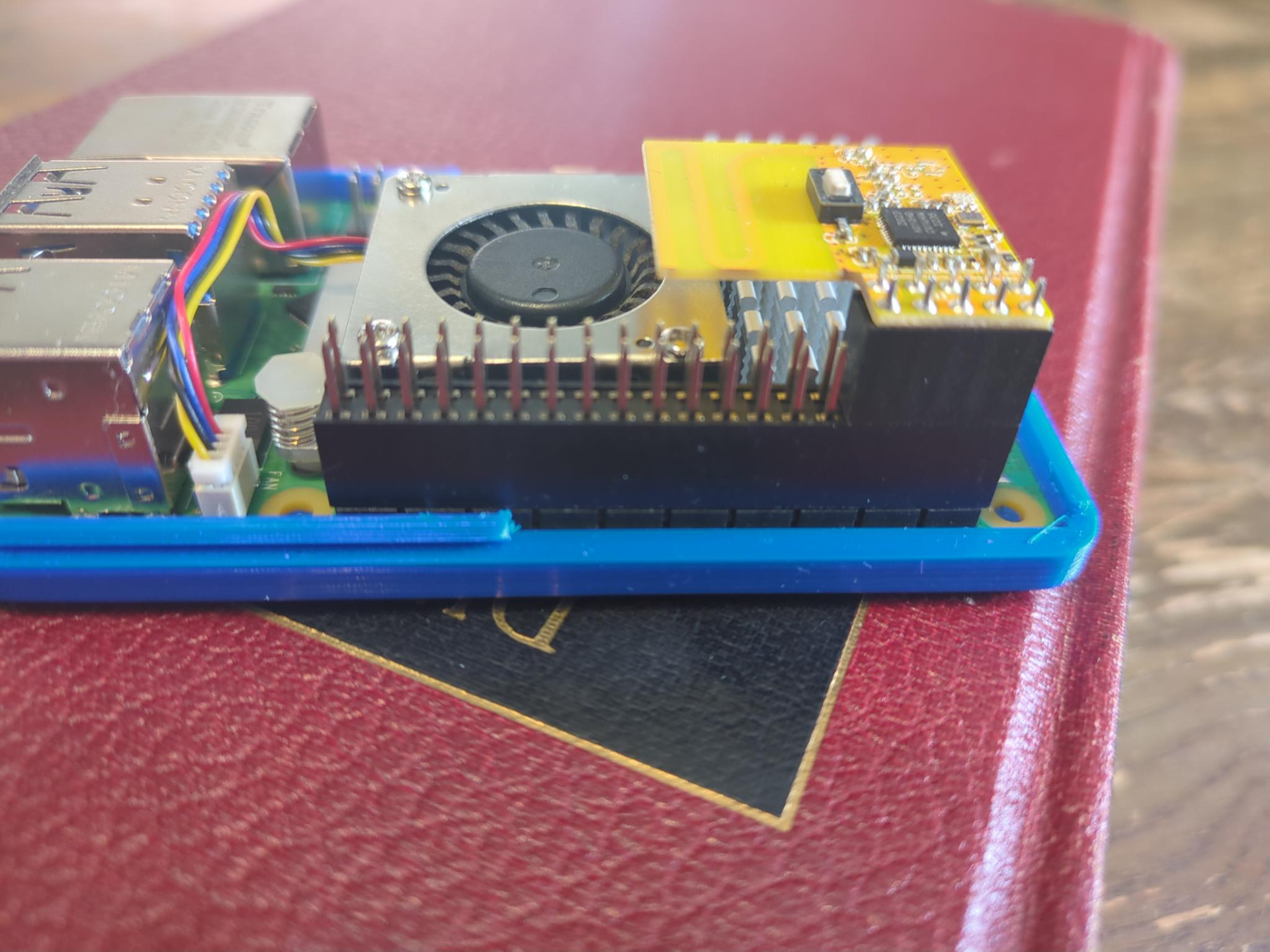
If you’re like me you happened to have been using the Pi 5 for something else before moving it to Home Assistant, and you have the Raspberry Pi cooler attached, and you want it to stay there. While the ZAC93 won’t typically fit with the cooler on, this can be easily achieved by simply using a 8mm riser for the Pi’s GPIO. That said, now standard cases won’t fit so may I recommend this case for those of you with 3D printers (or friends with 3D printers):
Raspberry Pi 5 Case (snap fit) by Pyrho
It requires no hardware and the original CAD files are included!
Thanks Pyrho!
To make this work with the cooler and ZAC93 with an 8mm riser, I modified the original file to make a taller lid. I made a printables account just to share it so hopefully someone finds that useful.